 Marco Sebastiano Alessi |
January 29, 2026
Marco Sebastiano Alessi |
January 29, 2026


In the mixing process, there’s one technique that, though easy to understand, can be quite hard to actually implement.
We all have heard panning in songs, or more precisely, the result of panning tracks in a song. Panning is a crucial technique for achieving a good mix, as it helps create a more immersive track that makes the listener feel as if they are seated in the middle of the song with instruments surrounding them.
Today, I’ll tell you about audio panning and how you can use it to add width and depth to your tracks, creating a more immersive listening experience.
Let’s dive in!
What is Panning in Music?
Panning is an audio production technique used during mixing to place and move sounds in the stereo field. Through panning, sonic elements can be located so they seem to originate from the left channel, the right channel, or any point along the space that connects them.
A sound panned to the center will be heard equally in both speakers, giving the feeling that it’s coming from the front of the stage. A sound panned to the left will only sound on the left speaker, and a sound panned to the right will only sound in the right speaker.
Panning is done by adjusting a pan pot (panoramic potentiometer). These are audio control knobs found in mixing consoles and digital audio workstations (DAWs) that balance the volume of a sound signal between the left and right channels. With the pan pot, you can direct a sound from the far left to the center or to the far right. In some music genres, it's common for certain sounds and instruments to move from right to left for a moment.
I’m sure you have heard panning in many songs. If you pay attention, you can listen to some instruments slightly to the left or right. Some may even sound far behind, and others to the front. Usually, vocals are panned to the center to make them feel as if they are coming from the front and center, as you would hear them on a live stage.
In music production, we can find different panning techniques:
Hard Left/Right Panning. Hard panning means to push the track extremely to the right or left of the stereo field. It helps widen the stereo image, giving room for other instruments in the mix. In a rock song, electric guitars can be placed one to the right and the other to the left. Backing vocals are usually hard-panned to enhance the lead vocal, which is panned center, and in orchestral music, strings and horns are placed on the edges to add width and leave more room for the rest of the orchestra.
LCR Panning. This technique uses a fixed position in the stereo field, placing sounds only on the left, center, and right with no intermediate panning positions.
Automation. Automation is your friend when you want to add motion and stereo width to your instruments. It can make sounds move from left to right. It can help broaden the stereo mix at key points in the song or add creative effects.
Why is Panning Important in Mixing?
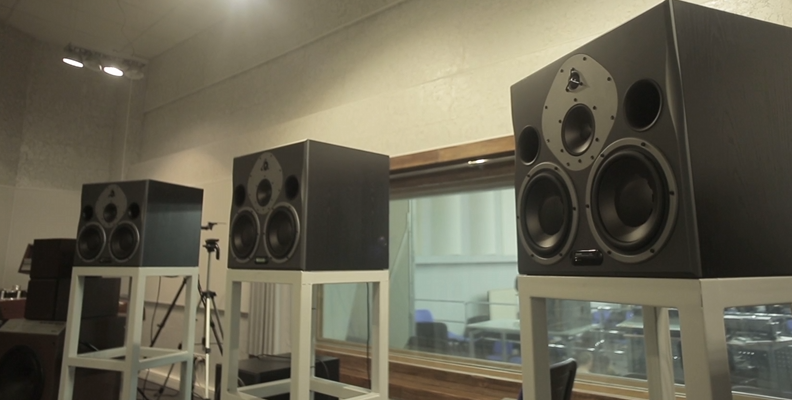
Panning is an audio mixing tool that helps your sounds be heard clearly and create a cohesive and balanced mix. It affects your music in ways that make it feel more alive. Besides adding space and depth to your mix, panning helps generate symmetry by dividing instruments by sound and placing them in the left, center, and right of the stereo image.
Together with EQ, panning helps avoid frequency masking by carefully separating sounds in the sound field so every single element can be heard with clarity during playback.
How Panning Works
There are no rules when it comes to panning. It’s a creative tool, and every audio mixer has its way of doing things. However, there are some basics you can use to start grasping what panning is all about. Your aim should be to create a balanced mix where all elements have their own distinct space.
We usually pan after leveling your audio tracks, but before applying EQ and other effects, as they may affect how the instruments sound. You can EQ, then pan if that works for your current project. Use the following steps as guidance only, and make the necessary changes that better fit your mix.
Step 1: Listen and Plan
After you set your levels, and whether you decide to EQ first or not, listen to the mix with attention to plan where each set of instruments should be placed. Visualize your sound field to position sounds as you begin, and use reference tracks in the genre you are mixing to understand how producers in that genre use panning.
Start by identifying the role each instrument plays in the mix. Some audio mixers prefer to begin panning the most important elements first, while others prefer to start with the supporting elements on the edges of the stereo field. Time and practice will tell you which approach works for you.
Step 2: Panning Controls in Your DAW
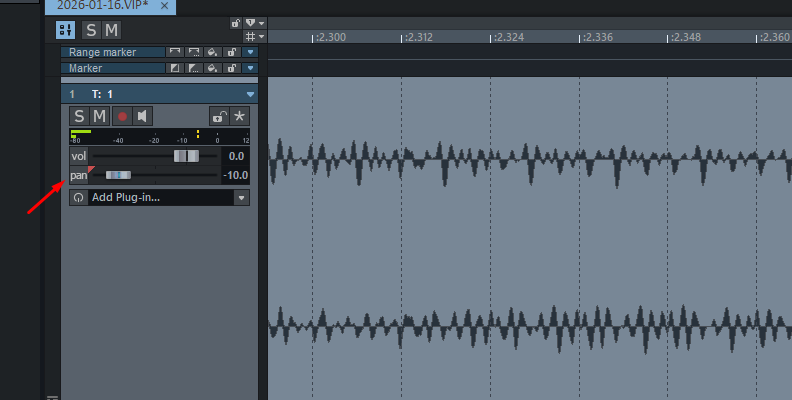
Find the pan knob in your DAW, which is usually with the other track controls or by the mixer view. The pan pot is centered by default. Turning the knob to the right pans the track to the right channel, and turning it to the left pans the track to the left channel. A hard pan means turning the knob all the way to the left and right. Some DAWs show a visual percentage in the pan pot to set the track's position precisely.
Step 3: Pan to the Center
The center of the stereo field is your song’s body. This is where the main instruments are placed, which are typically the lead vocals and low-frequency instruments. Panning at the center ensures they are evenly distributed and provides that solid base. For lead vocals, place them in the center to make them stand out in your mix and ensure the listener can focus on them amid the instrumentation.
Center panned instruments:
Lead vocals
Bass guitar
Kick drum
Snare drum
Step: Pan to the Sides
On the left and right, place the sounds that support those panned-centered sounds and high-frequency instruments. They will help make the sound field wider and sculpt the mix. For example, backing vocals and harmonies panned left and right will support and enhance the lead vocals at the center, creating a richer sound than if they were placed together in the center.
Here, you want to create a symmetric balance. If you have several background vocals, double-tracked guitars, keys, and other layers of sound, distribute them across the left and right channels. For example, set one guitar to the left and the other, or a similar sound, to the right. Place the harmonies to the left and the background vocals to the right. Be careful not to hard-pan too excessively to avoid isolating instruments. You want the sounds to blend and tell a story together.
If you’re struggling to place an instrument, think of a real-life performance and how they are located on the stage, and replicate that placement.
Side-panned instruments:
Background vocals and harmonies
Guitars
Keys
Synth
Cymbals
Step 5: Panning Adjustments
Once you finish panning your instruments, many audio mixers recommend taking a break and listening to the entire mix again to make adjustments. Listen to the tracks, solo and together, to see how they affect the mix.
Check your mix in mono to see if any instruments are lost or phase issues exist. Listen on different playback systems, as you never know where your listener will play your tracks. You want to make sure everything is heard correctly across all playback systems.
Best Tools for Panning in 2026
For a standard mix, you really don’t need more than the pan pots in your DAW. However, if you want to expand your options, here’s a list of a few tools that are great for panning.
Samplitude
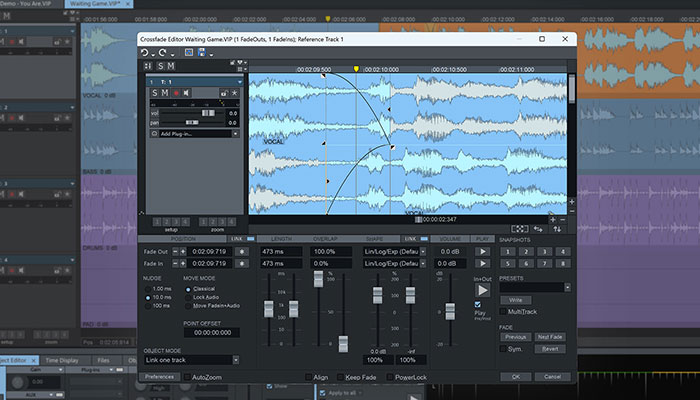
Samplitude’s unique object-based editing feature makes panning very flexible, allowing you to pan audio clips on a track independently of the overall track. It also makes panning automation easy, and it can be done at the track or object level.
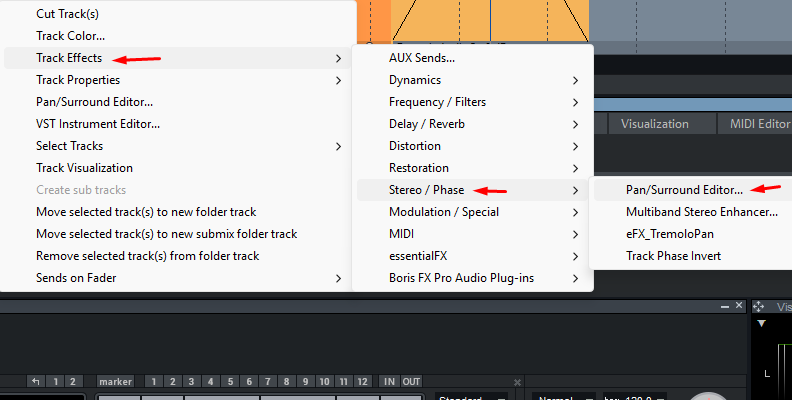
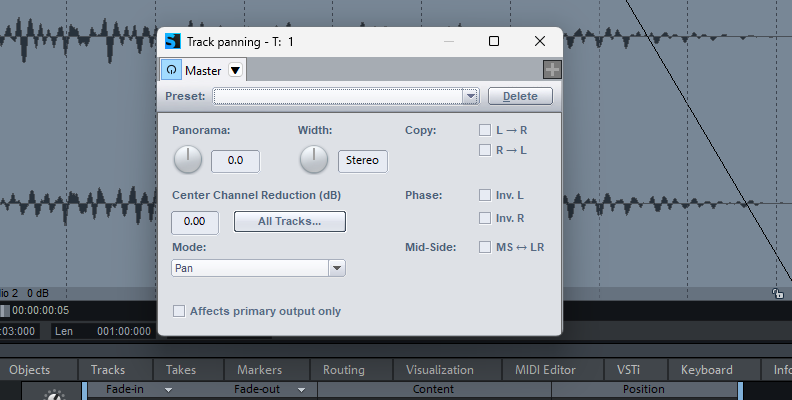
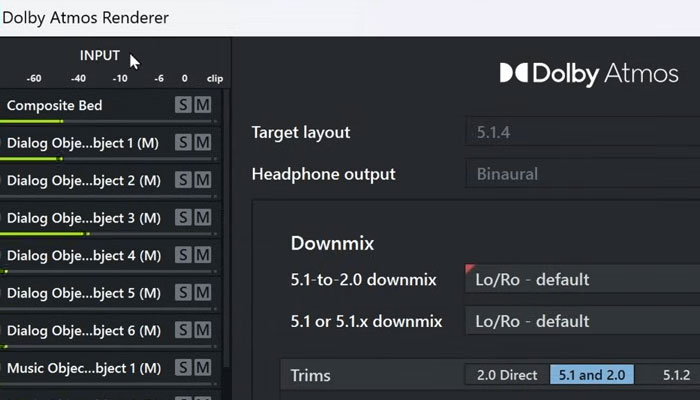
And if you’re into spatial audio and surround sound, Samplitude supports Dolby Atmos, where you can place your sounds in a 3D space instead of only a stereo field.
Soundtoys PanMan
PanMan is an auto-panning tool that goes beyond placing instruments to the left, center, and right. It turns simple panning into a more creative, complex process, allowing rhythmic or automated panning movements to be synchronized with your song's tempo.
Cableguys PanShaper
PanShaper is a highly customizable rhythmic panning effect that runs inside Cableguys ShaperBox 3. It features a built-in vectorscope that lets you see your stereo image to fine-tune your panning settings.
Auburn Sounds Panagement
Panagement combines binaural panning with delay and distance simulation to place a track anywhere in the sound field. It automatically adjusts parameters to make the sounds feel far or near. Panagement’s reverb and delay help increase realism and spatial depth to your songs.
Flux Stereo Tool
Stereo Tool is an excellent free panning tool for independent control of the left and right channels, or the mid/side channels. Stereo Tool is less creative and more surgical, offering precise control of instruments and frequencies with detailed, accurate visual feedback.
How Panning Can Improve the Listening Experience
Panning can enhance your listening experience in several ways. From a technical point of view, it reduces frequency masking by keeping similar frequencies on different sides of the stereo field; it enhances clarity, helping each instrument stand out in the mix; and it balances the overall audio.
Creatively, panning creates immersion by adding depth and width to the stereo field, simulating how we perceive sounds in real life. It can recreate a live stage for live recordings and draws attention to specific sounds to highlight a part of the song.
Final Words
Panning can be a key process to define how the listener perceives your song. Another part of audio mixing that is simple in definition, but it can take some time to master. If you’re looking for a tool to produce music and practice panning instruments, try Samplitude. With Samplitude, you can not only pan in stereo but also in three-dimensional space for Dolby Atmos spatial sound. Take advantage of Samplitude’s object-based editing to precisely pan individual audio clips with more flexibility.
Good luck!
FAQ
Does Panning Reduce Volume?
Panning does not reduce a track’s volume. When a track is center-panned, you hear it from both speakers at the same volume. When you pan it left, you listen to it louder in the left speaker and lower in the right one. But that’s just how we perceive it. To avoid this perceived loudness, you can adjust your track’s levels to make sure your instruments can be heard.